Studio Box BeepBox Guide: What It Is, How It Works, and When to Use It
Searching for Studio Box BeepBox usually means you want to identify the editor and decide whether it fits your song. Studio Box is a browser-based BeepBox-family editor for sketching and sharing music. It is most useful when you have found a Studio Box song or want to explore its particular fork, while UltraBox or JummBox may be easier choices for a different long-term workflow.
In this guide
Studio Box BeepBox: the Short Answer
Studio Box is not a separate audio file format or a download manager. It is a live browser editor in the BeepBox family. The public page describes Studio Box as an online DAW for sketching and sharing music, and identifies it as a mod connected to Slarmoo's Box, Abyss's Box, and the original BeepBox lineage. That makes the name valuable as a navigational query: the best first step is to open the editor, listen to a small pattern, and decide whether its controls match your project.
Use Studio Box when you need to open a Studio Box-specific song, inspect an experimental fork, or learn from its pattern and instrument workflow. Use the wider BeepBox mods guide when you are still choosing a fork. Use UltraBox when your next requirement is its documented custom-sample, FM-synthesis, expanded-channel, or offline workflow rather than a Studio Box-specific link.
What Is Studio Box?
The simplest mental model is “BeepBox-style pattern editor with its own fork-specific choices.” You work with a note grid, patterns, song bars, channels, instruments, and playback controls. Instead of recording a long performance in real time, you build a song from short repeatable blocks and arrange them across rows. This makes it quick to test a melody and share a compact song URL.
Studio Box should be treated as its own editor even though it shares ideas with other forks. A menu name, instrument, envelope, channel limit, or saved-song feature can behave differently from the same-looking control in UltraBox or JummBox. When a song matters, keep the original URL, note which editor created it, and test the song after moving it between forks instead of assuming perfect round-trip compatibility.
What You See in the Studio Box Editor
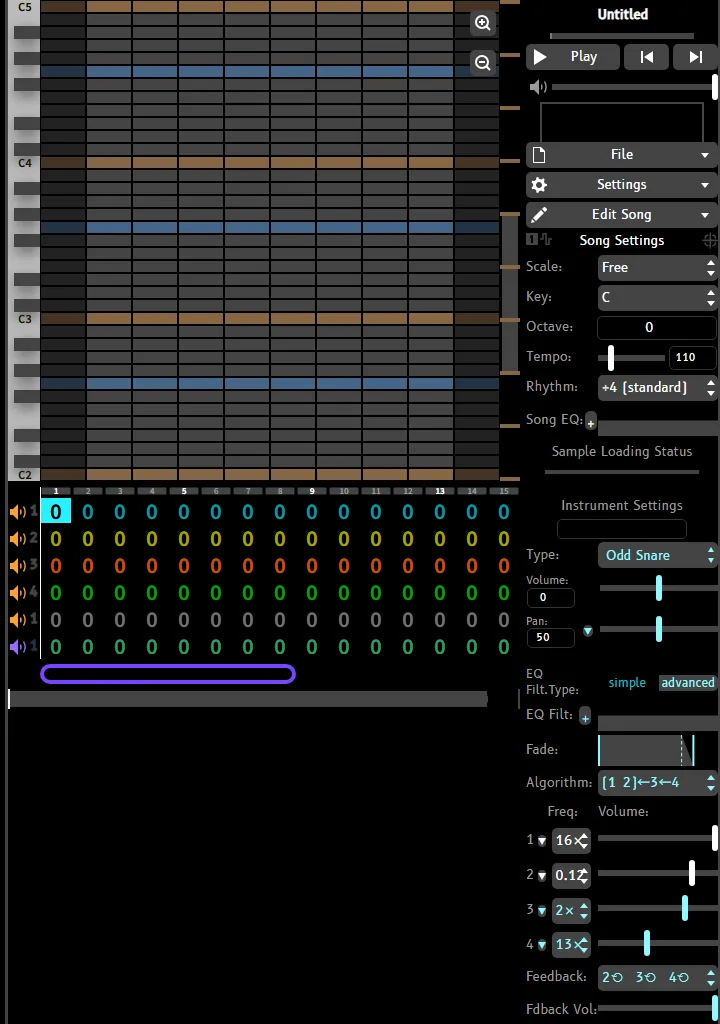
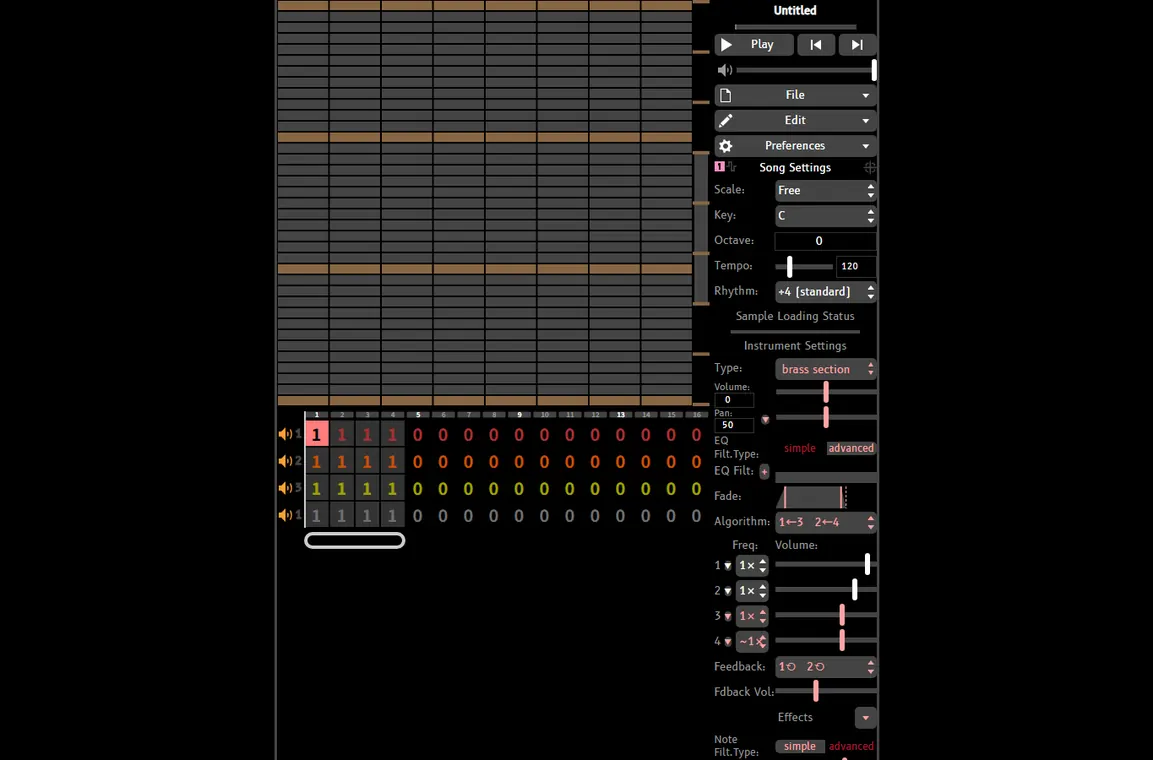
On the first screen, the large grid is the main writing surface. The horizontal columns represent time, while the rows represent pitch. The numbered pattern controls near the bottom let you reuse an idea in different bars. On the right, playback, song settings, instrument settings, envelope controls, and other menus change the current channel. Learn the interface in layers.
Beginner rule: do not explore every menu before hearing a loop. Add a short melody, press play, then change one setting at a time. Studio Box becomes easier to understand when each new control has an audible reason.
How to Use Studio Box BeepBox in a First Session
- Open the public editor and check audio. Use the Studio Box editor, turn up the browser volume, and press Play once. This confirms that the page loaded before you edit.
- Write one small phrase. Click a few cells in the gray note rows to create a melody. Start with four or eight columns, keep the rhythm simple, and listen for the pitch direction before adding harmony.
- Use patterns instead of repeating every note. The numbered boxes represent patterns that can be assigned to song sections. Change the pattern used in a later bar to create variation without rewriting the original phrase.
- Give each row a job. Try one lead, one bass or support part, and one drum row. Add more channels only after muting a row has taught you something about the arrangement.
- Save the complete URL. The public instructions say that song data is contained in the browser URL. Copy the full address after an important edit, and keep any external sample or source dependency with the link if the song uses one.
Studio Box Features That Matter in Practice
The useful features are the ones that change how quickly you can move from an idea to a shareable arrangement. The table below focuses on workflow rather than listing every advanced menu.
| Part of the workflow | What it lets you do | Good first test |
|---|---|---|
| Note grid | Place notes, adjust duration, and build a melody or chord shape. | Make a short phrase that still sounds recognizable when repeated. |
| Patterns and bars | Reuse patterns across song sections and introduce changes without starting over. | Make the second section differ by one pattern or one ending note. |
| Multiple rows | Layer melodies, harmonies, bass, and drums in parallel. | Mute each row and identify its musical role. |
| Instrument and envelope controls | Shape the tone, volume movement, and texture of a channel. | Change one envelope control and compare the attack or tail. |
| URL saving | Keep the editable song state in a link that can be copied and shared. | Open the copied link in a new tab before closing the original. |
Studio Box vs UltraBox vs JummBox
These editors share a family resemblance, but the right choice depends on the song you are trying to finish. Studio Box is the direct answer when the song or experiment belongs to that editor. UltraBox is the stronger site-supported path when you want a broader set of documented features and recovery guides. JummBox remains a focused alternative for users who prefer a familiar BeepBox-style workflow with a different feature balance.
| Editor | Best fit | What to check before committing |
|---|---|---|
| Studio Box | Opening Studio Box links, exploring its fork-specific sound design, or studying an experimental pattern workflow. | Menu names, instruments, channel behavior, and whether the song uses features another fork cannot reproduce. |
| UltraBox | Longer projects, custom samples, expanded channels, FM work, offline use, and a larger set of site tutorials. | Read the UltraBox features guide and keep sample files or URLs beside the song backup. |
| JummBox | A focused BeepBox-family editor with its own sound and arrangement preferences. | Compare the workflows in JummBox vs UltraBox before migrating a song. |
| Vanilla BeepBox | Very fast sketches, lessons, and the smallest learning surface. | Check whether the song needs a fork-specific instrument or extra channel before starting there. |
When Studio Box Is a Good Fit
Studio Box makes sense when the source of the song already points there. It is also a good learning target if you want to see how a BeepBox-family fork balances a compact grid and deeper sound controls. For a first experiment, keep the goal narrow: make one loop, alter one instrument setting, assign one pattern to a second bar, and save the URL. That gives you evidence without turning the first session into a menu tour.
It is less suitable to choose an editor only because its screenshot looks advanced. More controls can mean more decisions, not automatically better music. If the same idea works in a simpler editor, finish the idea first and move only when a real limitation appears.
Saving, Compatibility, and Practical Limits
The main saving habit is simple: preserve the complete song URL after every meaningful milestone. A copied link is more useful than an audio export when you still need to edit notes, patterns, or instruments. If the project uses external samples, also archive the source file and stable hosting location; a song link cannot repair a missing audio dependency.
Compatibility is the part that deserves caution. Two editors may open a related song while interpreting a channel, instrument, envelope, or effect differently. Test a copy, listen through the whole arrangement, and compare the important sections after migration. For UltraBox-specific sample recovery, use the sample guide; for general backup habits, read how to save UltraBox songs. Those pages cover adjacent problems without pretending that every fork shares one identical file contract.
A Five-Minute Studio Box Checklist
- Open the editor and confirm playback before editing.
- Build one short melody before adding extra channels.
- Use patterns to create a second section with a small change.
- Change one sound or envelope control at a time.
- Copy the full URL and reopen it before ending the session.
Frequently Asked Questions
Studio Box is a browser-based music editor presented as a BeepBox-family mod. Its public page describes it as a tool for making and sharing music and identifies connections to Slarmoo's Box, Abyss's Box, and the original BeepBox project.
Yes, the public instructions say song data is contained in the browser URL. Copy the complete address, then reopen it in a new tab to verify that the editable state was preserved.
No. They are separate BeepBox-family editors. Similar grid concepts do not guarantee identical instruments, menus, channel limits, effects, or song compatibility.
Yes. Start with a melody, a bass or support row, and a drum row. Learn patterns and saving before exploring advanced sound controls.
Choose UltraBox when you need its documented custom-sample, FM, expanded-channel, offline, or recovery workflow. If the song is specifically made for Studio Box, keep it there until you have tested a copy in another editor.
Sources and verification
This guide uses the public Studio Box editor for the editor description, visible controls, first-session instructions, and URL-saving behavior. The Studio Box source repository is included for project context. The community Studio Box reference is useful for terminology, but fork-specific behavior should be checked in the live editor.
Ready to make a small loop?
If Studio Box is the editor your song calls for, start with one pattern and preserve the URL. If you need a broader documented workflow, open UltraBox and compare the two editors by the project you actually want to finish.